Changelog

Follow new updates and improvements to LaunchBox.

LaunchBox for Windows - 14.0
One of Our Biggest Updates Yet 🎮✨

LaunchBox 14.0 is one of our biggest Windows updates in years. This release began as 13.28, but the scope grew far beyond a typical update. With major new features, deep under-the-hood changes, and broad improvements across everyday workflows, this is now LaunchBox 14.0.

This release adds the new LaunchBox Reader, major performance upgrades for List View and Image Grid views, a revamped Big Box Filter / Sort experience, overhauled media playback with the new LaunchBox Media Engine, smarter startup and shutdown handling, better organization for game extras, searchable Options, new premium 3D case models, and a long list of fixes and polish across the app.

Here is a breakdown of the highlights.

For the full list of changes, visit our complete changelog below.

🔗 LaunchBox for Windows Changelog


📖 LaunchBox Reader

Your manuals, guides, magazines, and other documents now have a proper home inside LaunchBox and Big Box.
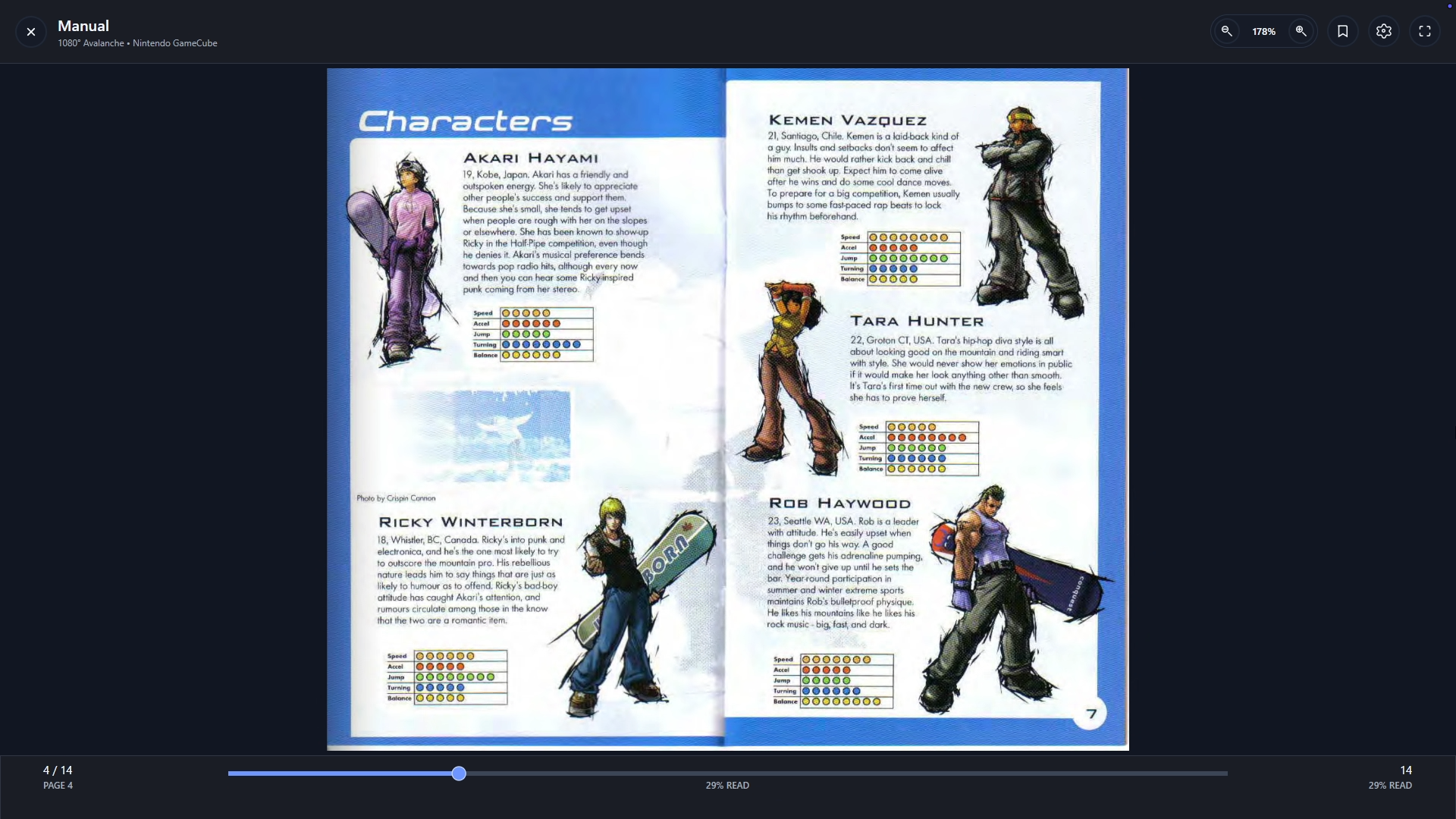
LaunchBox Reader is a built-in reading experience designed for game manuals, strategy guides, magazines, PDFs, EPUBs, image-based documents, reference docs, and anything else you want to keep alongside your games. You can open documents directly inside LaunchBox or from Big Box, then read with realistic page turns, configurable layouts, appearance settings, bookmarks, resume behavior, and keyboard or controller input mappings.
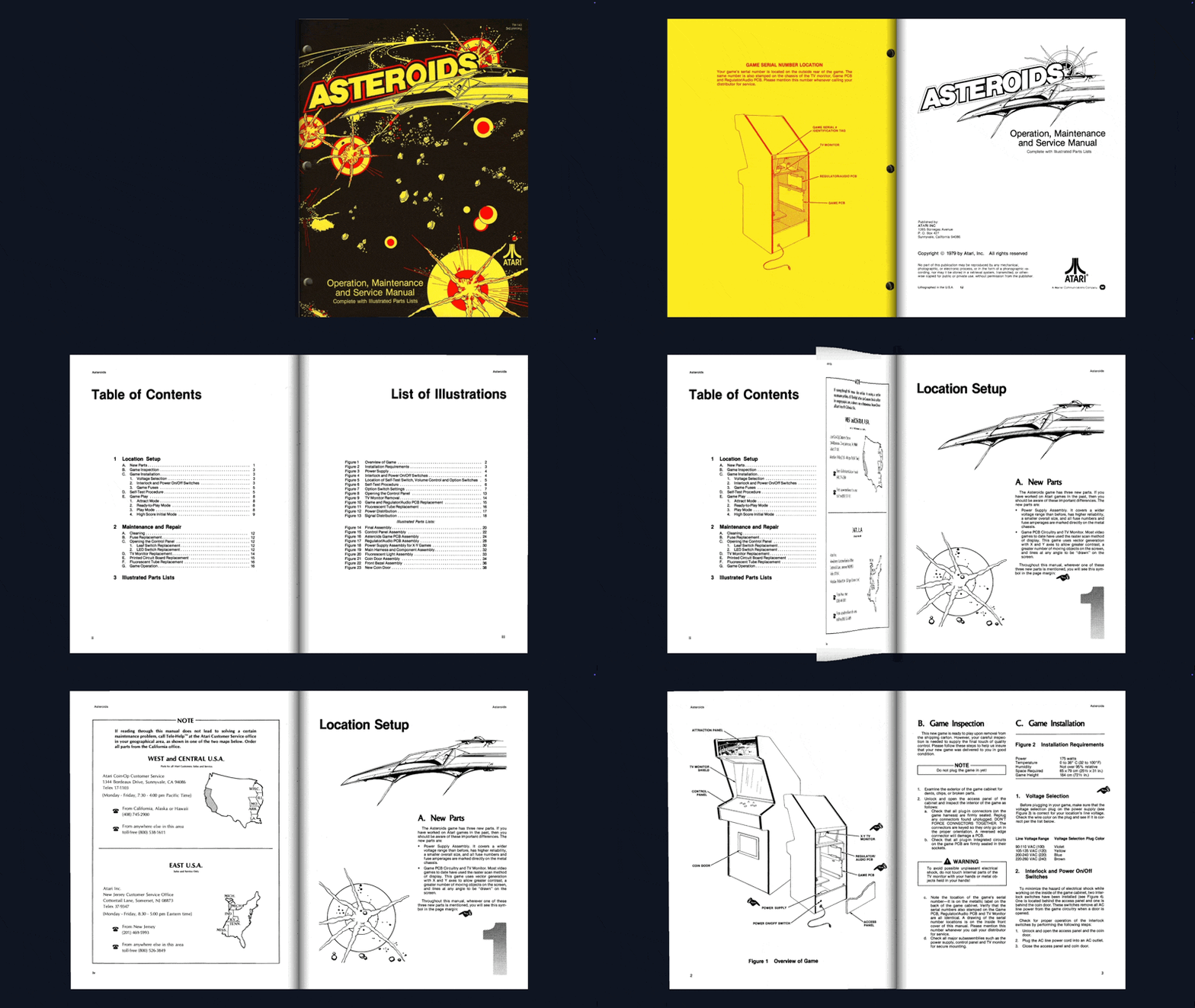
That means you can pull up a manual before starting a game, browse a guide from the couch, or keep strategy guides and reference material connected to the games they belong to.

To use it, add or organize documents for a game, then open them from LaunchBox or from the Big Box Game Menu. From there, customize the layout, appearance, and controls to match how you like to read.

For a more in-depth look at the new LaunchBox Reader, see our dedicated guide below:

LaunchBox Reader


⚡ Faster Lists, Smoother Grids, Quicker Navigation

Large libraries should feel fast, even when they are packed with artwork, badges, custom columns, and years of careful organization.

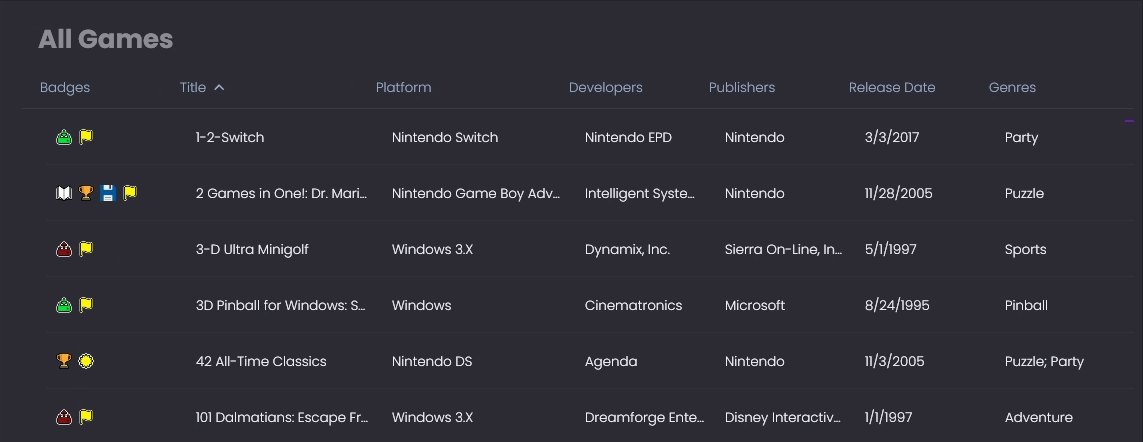
LaunchBox 14.0 includes a reworked List View for the default theme with much better performance, especially in large libraries and during fast scrolling. The new list view is also fully themeable, giving custom theme developers a new foundation to build on.
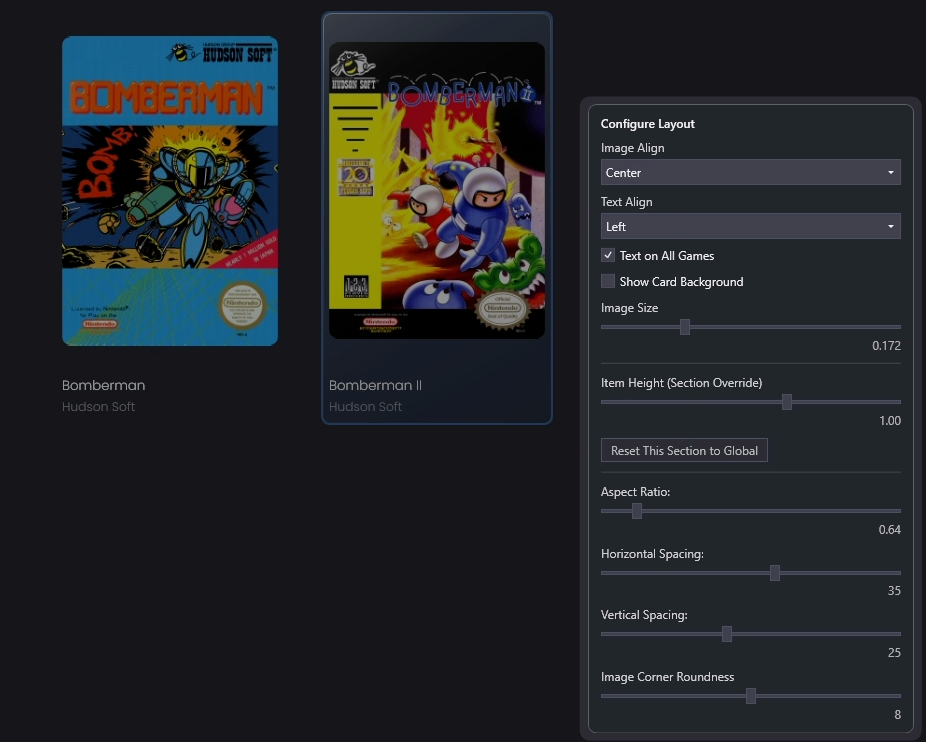
The default Image Grid has also been updated with a new implementation focused on better performance, clearer selection highlighting, more reliable image refresh behavior, and a new Configure Layout option. Existing custom themes continue using the previous Image Grid, while custom theme creators can choose to adopt the new one.
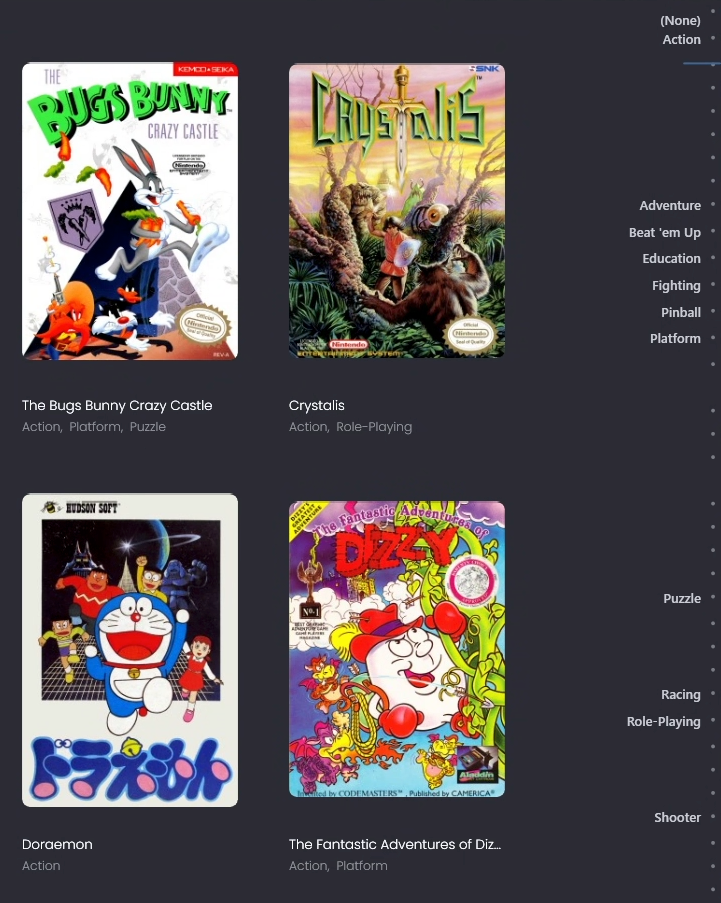
There is also a new optional Arrange By scrollbar for LaunchBox game lists and the default Image Grid. When enabled, it shows group markers, hover labels, and click or drag navigation through your current arranged view. You can use it only when needed, or turn it on permanently with the new Game List Index setting. If your library is arranged by platform, genre, series, release year, or another grouping, you can jump through those groups much more quickly.

🕹️ Big Box Improvements

Big Box gets a more comfortable browsing experience in 14.0, especially for controller-first setups.

The new Big Box Filter / Sort experience makes it easier to filter and reorder games without leaving the couch. This has been a long-standing request from Big Box users, and it gives you a controller-friendly way to adjust filters and sorting directly from within Big Box, including useful sort options such as star rating.fff
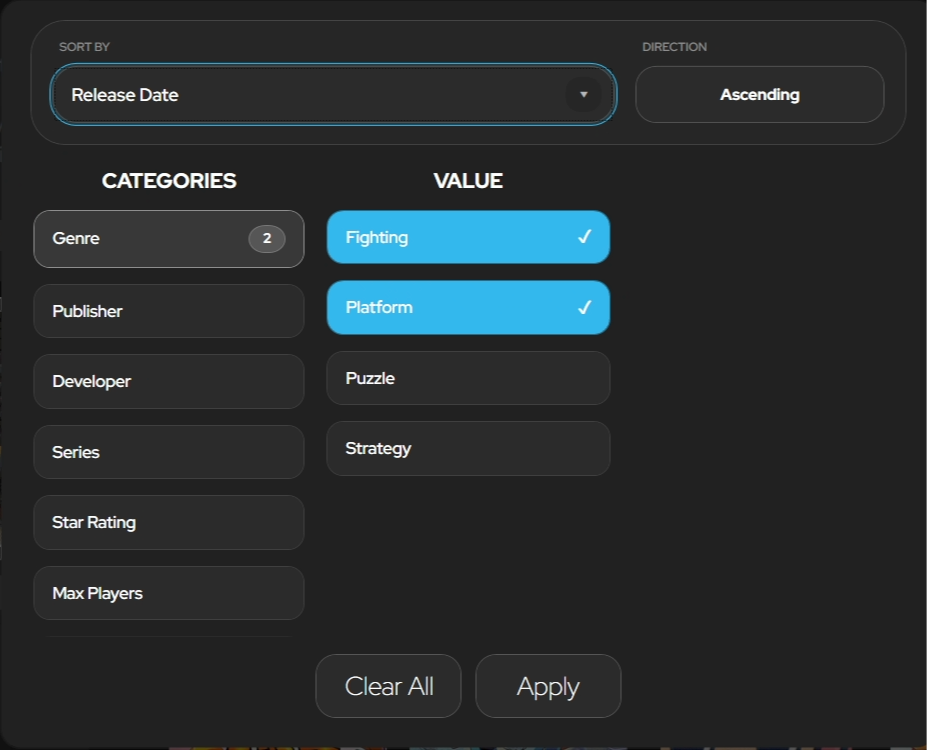
The default Big Box theme has also been updated with new visual elements for Filter / Sort, including sort context labels and a redesigned popup. These controls are fully themeable, so custom Big Box themes can support the new experience too.
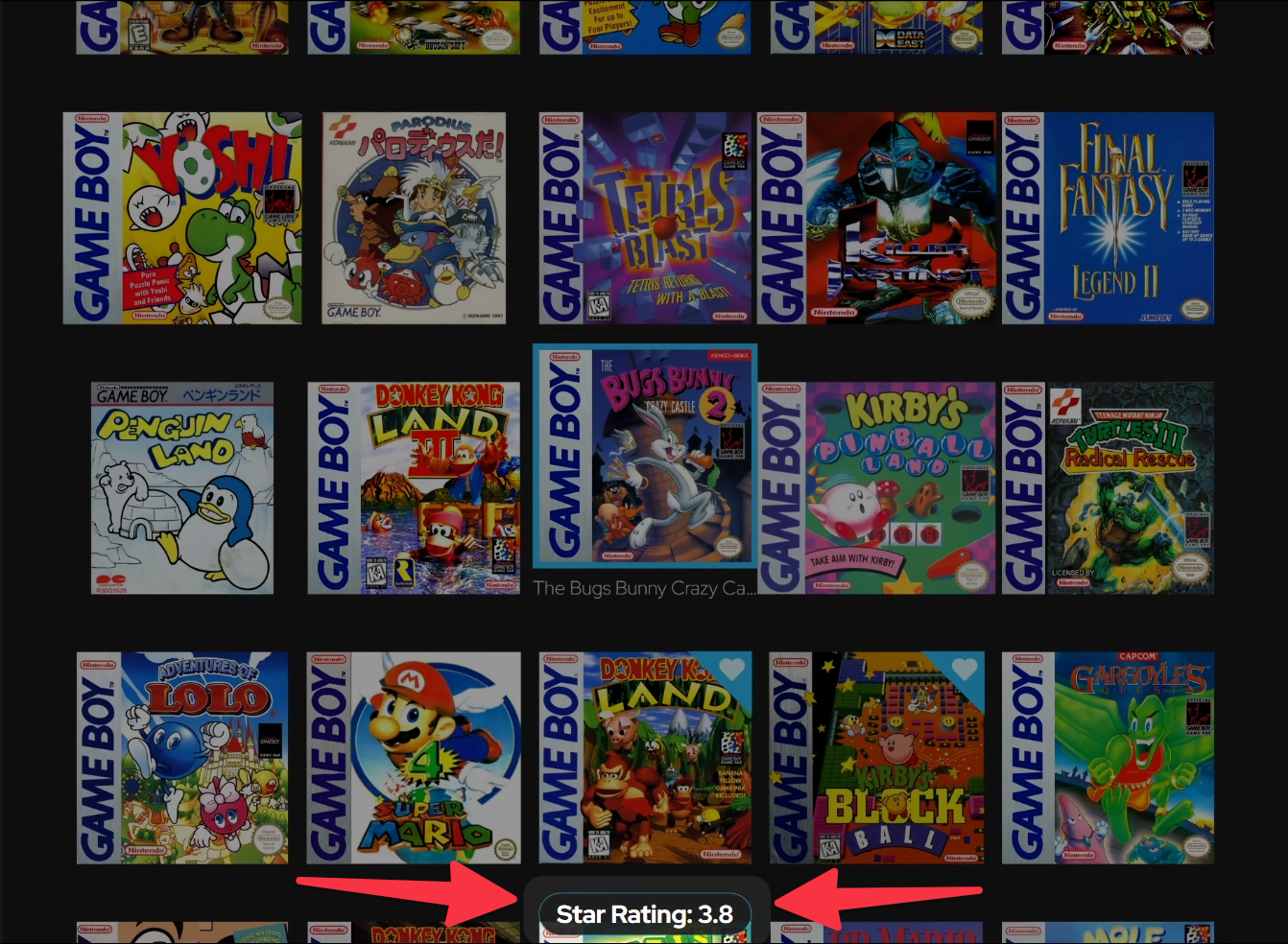
As you scroll through your collection, a handy label showing the current value of your selected game now appears

Beyond Filter / Sort, Big Box should feel noticeably faster, smoother, and more dependable during everyday browsing, especially in media-heavy themes and larger collections. You should feel the difference in cleaner transitions, steadier 3D FlowModel and wheel navigation, faster handling for artwork-heavy views, and more reliable video and audio behavior when moving in and out of games. Background music discovery now runs in the background too, so larger music folders should no longer slow down startup or navigation.


🗂️ Game Extras Are Easier to Organize

Additional Applications have been reorganized into clearer groups: Applications, Versions, Documents and Links.

This makes it easier to separate different types of extras. Applications can cover things like setup tools, alternate launch commands, patches, or companion apps. Versions can hold things like regional game versions, fan translations, or ROM hacks. Documents can hold manuals, strategy guides, magazines, notes, and other readable material.
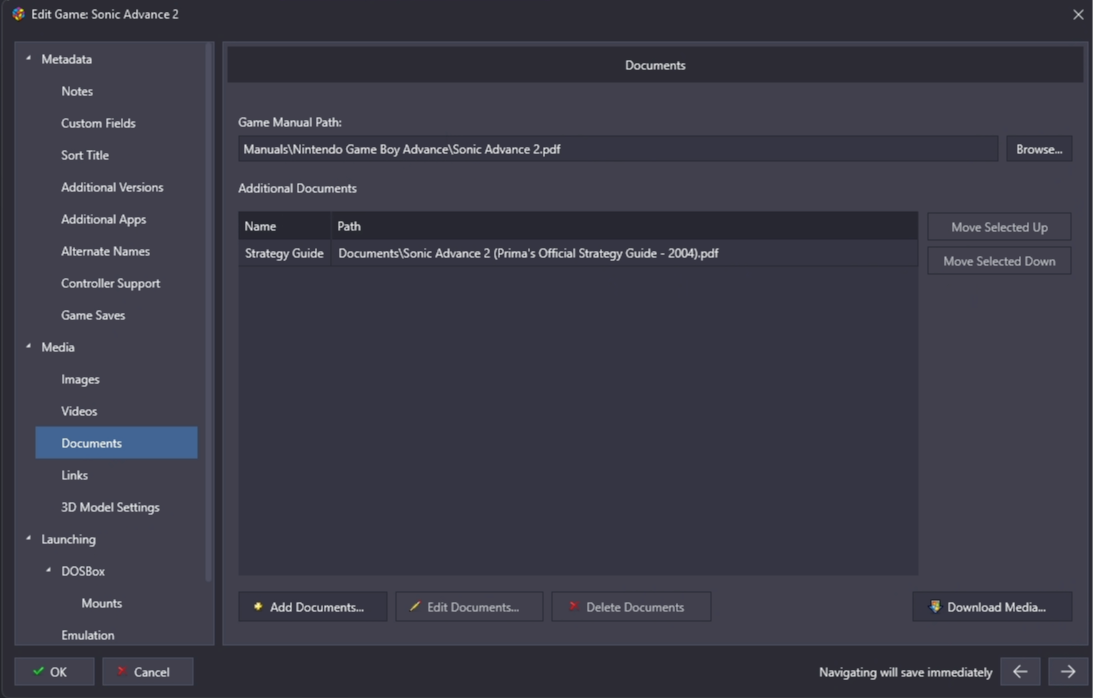
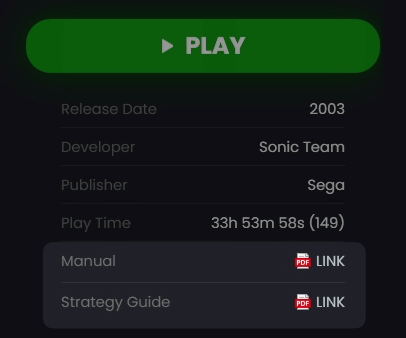
Now you can neatly organise your extras into their own sections
And access them from the game details page

The new organization also makes those extras easier to choose from in the Big Box Game Menu, which pairs especially well with LaunchBox Reader. Instead of every extra living in one long list, the type of extra is clearer before you open it.
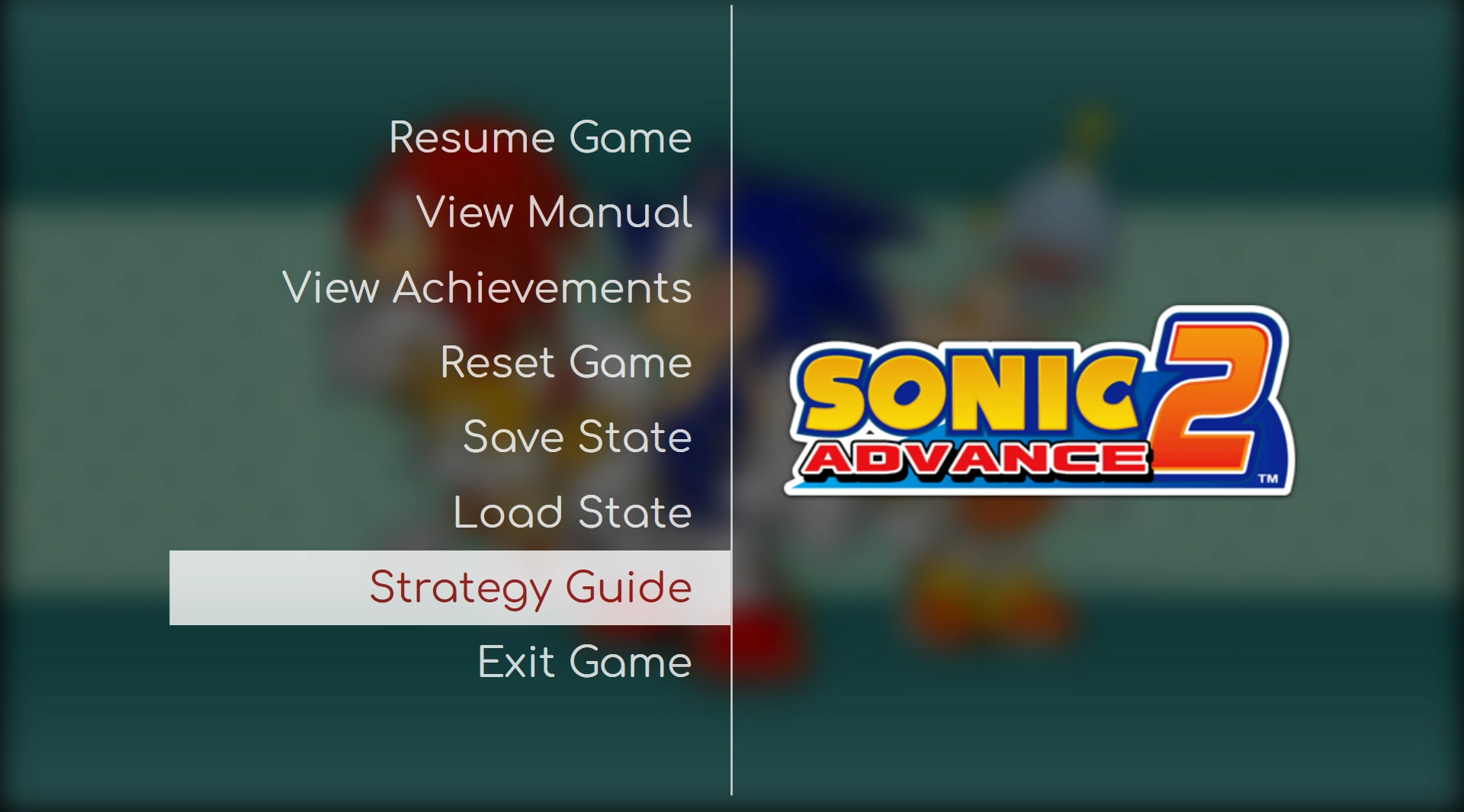
Access your documents easily the from Big Box pause menu

Links also remain part of the broader game information workflow, giving you a cleaner way to keep external resources connected to the games they belong to.
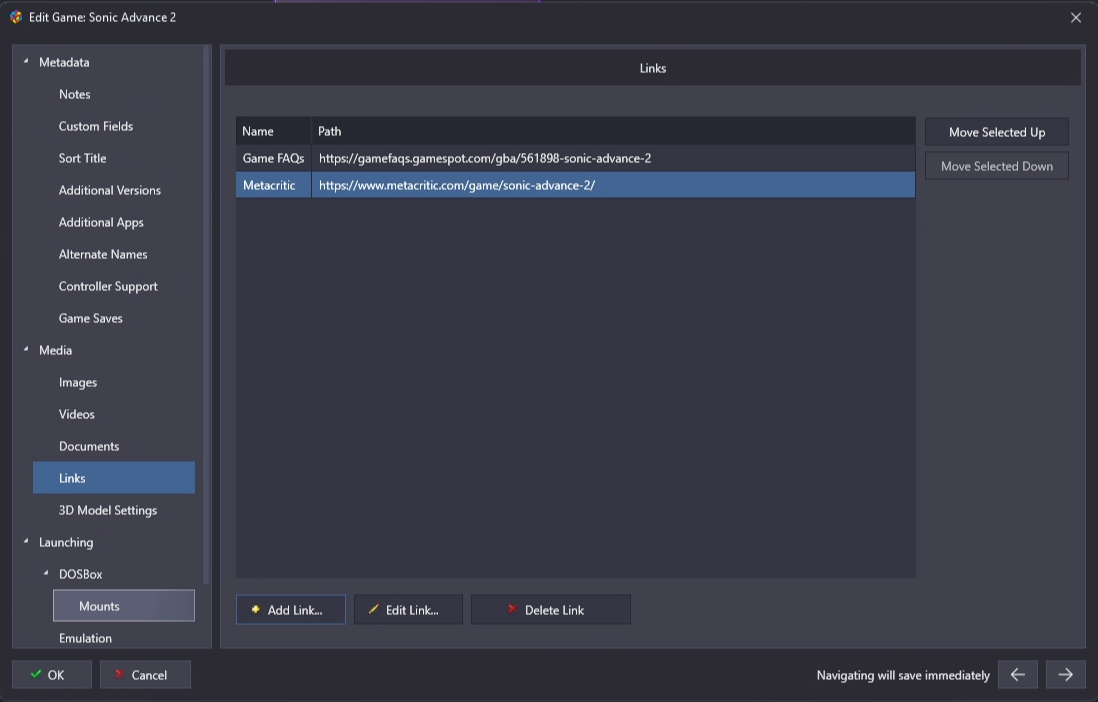
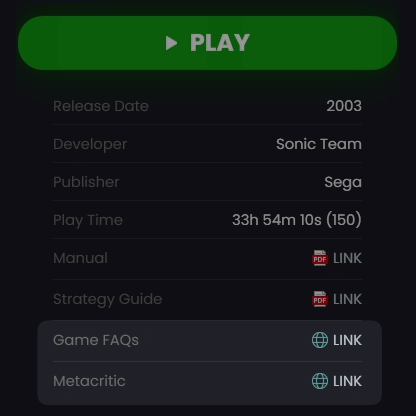
Add any web resources to a game...
and easily access them from the game details pane

🎬 Media Playback and Reliability

Media playback gets some important behind-the-scenes work in 14.0, centered around the new LaunchBox Media Engine.

Video and audio playback now run through a cleaner, more isolated media layer. For users, the goal is simple: smoother previews, fewer playback interruptions, cleaner transitions between videos, and better stability across LaunchBox and Big Box.

This new media layer also gives us more flexibility going forward. Because media playback is now abstracted away from the main app, we can push independent media engine updates to address media-related issues without requiring a full LaunchBox update every time.

Startup videos have also been completely rewritten, addressing a long-standing issue for some Big Box users using specific hardware configuration. Startup video playback is now handled inside Big Box itself, which should make startup videos much more reliable on setups where they have historically been troublesome, including some Windows handheld configurations.

Check out our forums for some wicked community created startup videos, to add some visual flair to Big Box!

🔗 Startup videos


🔎 Options Are Easier to Find and Configure

Options are much easier to navigate in 14.0 thanks to searchable Options pages.

You can now search for settings by name or related terms, which makes it much quicker to find the exact option you need without clicking through every page. Options performance and search responsiveness have also been improved, so the whole area should feel snappier.
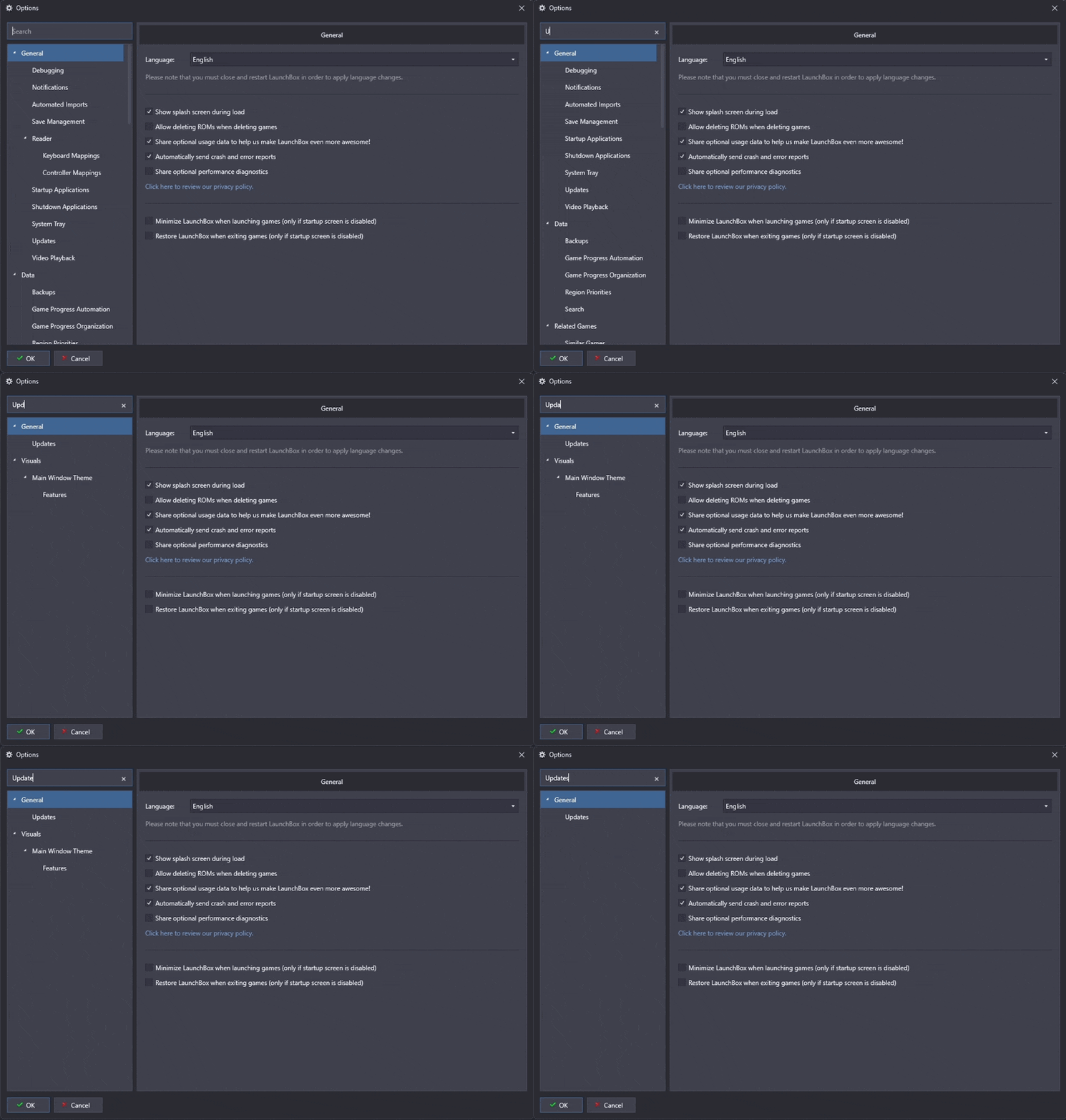
There is also a new Ctrl+, keyboard shortcut for opening LaunchBox Options, matching a familiar shortcut used by many desktop apps.

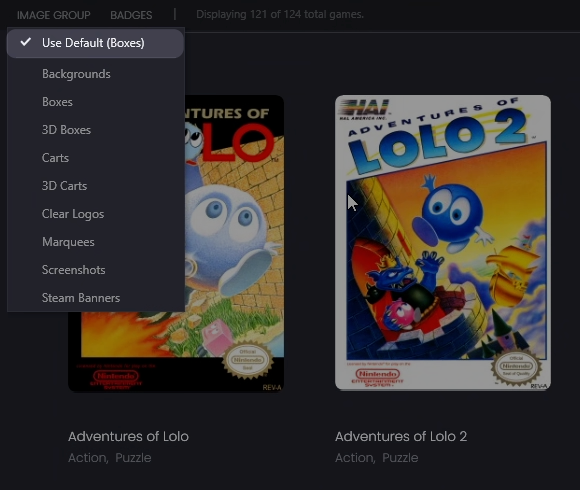
Image preferences are easier to manage too. A new Default Image Group setting under Viewing options lets you choose the default image type used across the interface. Platform, playlist, and platform category image group handling has also been improved, including a new Use Default option that quickly clears a custom image group and returns that area to the global default.

🚦 Clearer Startup, Shutdown, and Multi-Install Handling

LaunchBox is now clearer about what it is doing while opening, closing, and switching between LaunchBox and Big Box.

The startup window has been revamped with a newer WPF-based design and clearer startup status messages, so startup feels less mysterious and more informative. Startup behavior has also been strengthened around settings persistence, splash-screen failures, and focus restoration once startup completes.

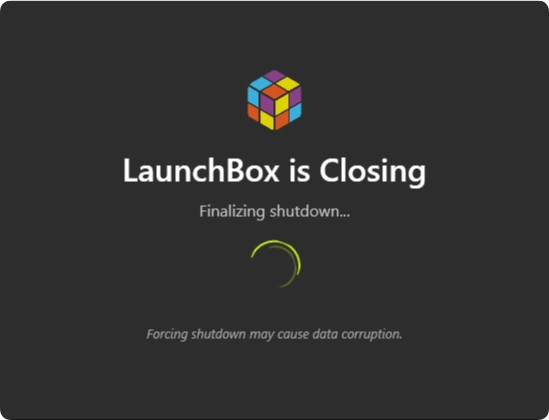
On shutdown, a new progress window shows what LaunchBox or Big Box is doing while closing. If shutdown hangs, there is now a force-close option, giving you a visible way forward instead of waiting without context.
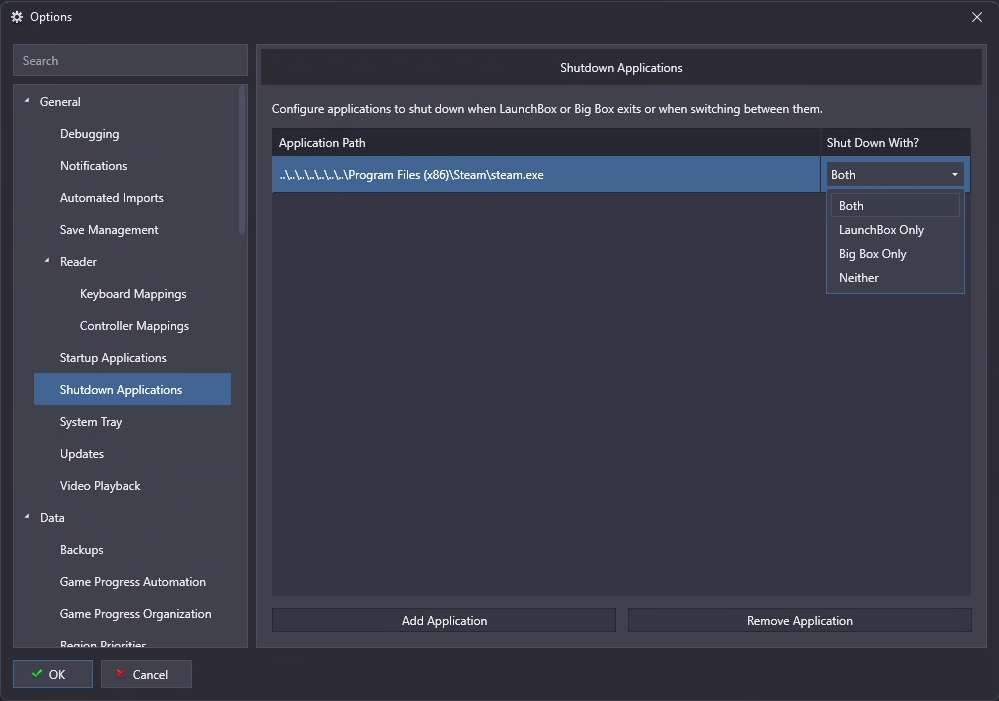
14.0 also adds configurable Shutdown Applications, so apps can be closed automatically when LaunchBox or Big Box exits or when switching between them. This is useful for setups that rely on helper tools, companion apps, overlays, or other software that should close cleanly with your frontend.
Advanced users with multiple LaunchBox installs rejoice! We’ve also added the ability to detect and run separate LaunchBox installs independently without blocking each other, which is especially helpful for test builds, portable setups, or separate production and experimental libraries.


💿 New Premium 3D Cases and 3D Browsing Polish

Premium users get new presentation options: the 3D Double Jewel Case model and the new 3D Cassette Case model.

The 3D Double Jewel Case includes automatic spine handling and dual-spine options, making it a great fit for collections where double jewel cases are part of the look and feel you want to preserve.

The 3D Cassette Case adds straight-back, angled-back, and clear-case styles, portrait and landscape positioning, custom plastic and cover colors, and J-card spine artwork with fallback support for clear logos or plain-text titles.
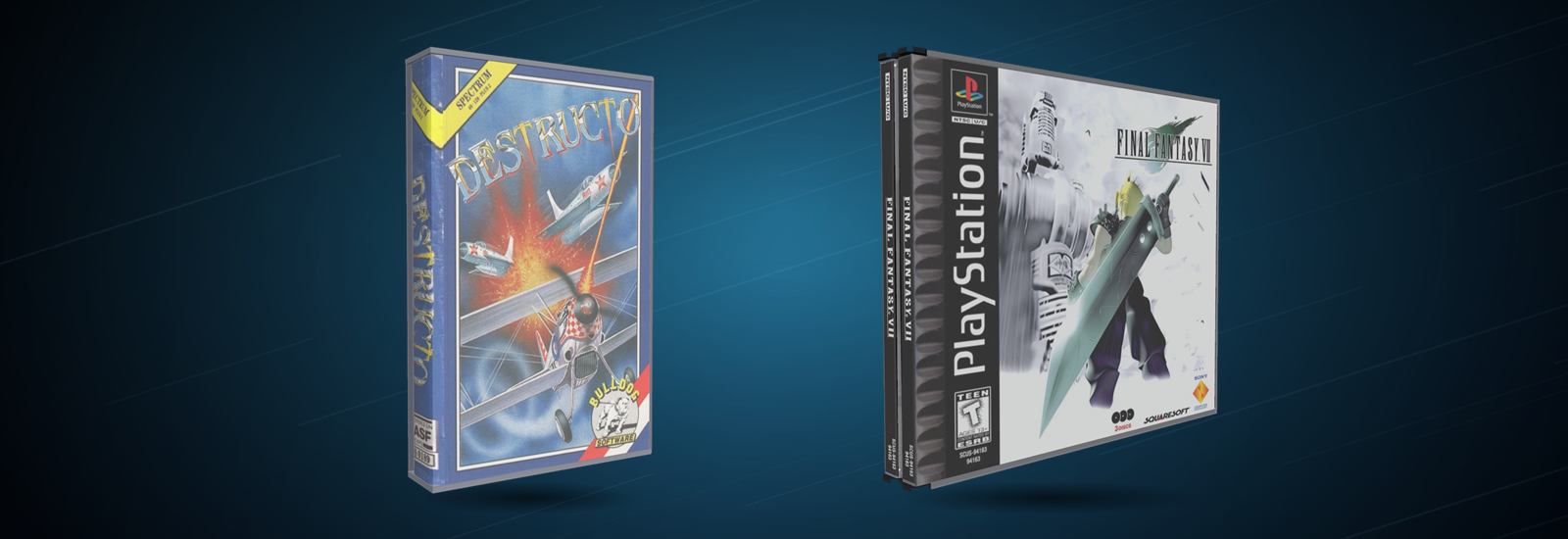
3D model browsing has also been polished across the app. Drag handling feels better, carousel navigation is steadier, and behavior across multi-monitor setups has been improved.


🧰 More Improvements Worth Calling Out

14.0 also includes a healthy round of smaller improvements and long-requested fixes that are worth highlighting.

  • More emulator choice during imports: Recommended emulator installation during ROM imports now supports multiple emulator options when more than one applies, allowing you to choose which supported emulator LaunchBox installs and configures for the selected platform.

  • General performance and responsiveness: Game Details updates more smoothly while browsing large libraries, Related Games loads recommendations and thumbnails more efficiently, context menus open more quickly after startup and view changes, and managers such as Plugin Manager and Themes & Media Manager now open immediately while online content loads in the background.

  • Controller fixes: Controller fallback detection no longer re-enables controller input after controller input has been disabled, and powered-off or disconnected DirectInput controllers no longer cause repeated phantom navigation when Use All Controllers is enabled.

  • Play session history tracking: LaunchBox can now track play sessions more accurately, including cases where LaunchBox loses focus while a game or related application is still running. This gives you a more reliable record of when and how long you played.


Wrapping Up 🙌

It’s been a while since we bumped our version number, but we feel the amount of polish and changes that went into LaunchBox 14.0 warrants the increase. Although plenty of shiny new things, we wanted this released to focus on improving the everyday features and workflows you all rely on, and we hope you notice some of the changes!

Thanks as always to everyone testing, reporting, suggesting, and helping shape this one, we had a “long” beta cycle for this (beating the record for the most amount of beta rounds!), but we hope it was all worth it.

Happy Gaming!

For the full list of changes, fixes, and smaller improvements, visit the complete changelog below.
🔗 LaunchBox for Windows Changelog

LaunchBox for Windows

LaunchBox for Windows - 13.27

A Big Level Up for Achievements, Saves, Setup, and More 🎮⬆️

LaunchBox 13.27 is all about leveling up the features you already use, with improvements for players who love tracking progress, protecting saves, browsing media, and keeping their setup running smoothly.

This release includes major RetroAchievements expansions, a significantly upgraded Save Management experience, clearer first-time setup flows, smarter imports, Big Box improvements, media viewing upgrades, and plenty of everyday polish.

Check out the release video or see a breakdown of the major highlights below. Let's jump in.

For the full list of changes, visit our complete changelog below.

🔗 LaunchBox for Windows Changelog


RetroAchievements Gets a Major Upgrade 🏆

Track progress faster, browse achievements easier, and show the stats you care about ✨

RetroAchievements now feel more at home across LaunchBox and Big Box. LaunchBox’s Game Details pane can show new Time to Beat and Time to Master stats, giving you a quick sense of whether a game is a light achievement hunt or a full mastery project before you jump in. This info is pulled directly from RetroAchievements and uses real-time player completion data to give accurate playtime commitments. Already signed into RetroAchievements in LaunchBox? Then you will automatically see this in the Default theme. Nothing more for you to do, just enjoy!

Finally, a stat to validate which next big game to take on!

The same widget also shows up across various views in Big Box, and the best part about it is that it’s dev-ready, so theme developers can incorporate it into their custom themes.

Theme Developers: find the new goodies here.

Achievement progress and completion times are now front & center in Big Box

In Big Box, achievement lists are now filterable, making it much easier to narrow things down from the couch instead of scrolling through everything at once.

No more missing out on those missables!

RetroAchievements profile pages have also been revamped in both LaunchBox & Big Box to load much faster and show more information, so checking your RetroAchievements progress feels quicker and more useful.

Additionally, LaunchBox now also supports configurable RetroAchievements stats, so you are no longer limited to showing only hardcore points. To choose what appears, right-click the RetroAchievements stat in the top menu bar and select the stat you want LaunchBox to display.

Time to show off all those sweet games you've beaten!

Finally, achievement badge support has also been added for WiiWare games, making it easier to spot RetroAchievements-supported WiiWare titles directly in your library.

For more information on RetroAchievments integration, see our dedicated guide below:
RetroAchievements in LaunchBox


Save Management Gets a Serious Upgrade 💾

Updating from an older version? ⚠️

If you already use LaunchBox Save Management, we highly recommend reading the migration guide before making major changes to your setup. Some save tracking behavior has been improved in 13.27, and the guide will help you understand what changed, what to check, and how to make the transition safely.

👉 13.27 Save Management Migration Guide

Save Management has been expanded with better tracking, automatic backups, backup-on-close options, backup limits, manual backup scans, save version history, labels, and grouped saves. If you are testing emulator settings, switching cores, or protecting long-running saves from accidental overwrites, LaunchBox now gives you more ways to keep your progress safe.

For setup details on how utilize save management, see our in-depth guide for this featureset 👉 Managing Save Games and States

The big new headline is expanded support for Dolphin and PCSX2. That means Save Management can now help track saves across Nintendo GameCube, Nintendo Wii, Nintendo WiiWare, and Sony PlayStation 2 setups in ways that were not previously supported.

Store your saves inside a PCSX2 memory card? No problem. Using Dolphin for GameCube, Wii? LaunchBox can now do a much better job finding the saves that belong to those games. The goal is simple: more of your emulator saves can be tracked, backed up, labeled, and restored directly through LaunchBox.

LaunchBox will now identify Wii saves, even within the virtual NAND

The new backup tools can keep a rolling history of your saves, so you can go back to an earlier version if something gets overwritten, corrupted, or changed in a way you did not expect. Backup-on-close is especially useful for games that write saves when the emulator exits, while backup limits help keep your backup history useful without letting it grow forever.

Manual backup scans give you a way to refresh what LaunchBox knows about your saves, and save version history makes it easier to see what backups are available before restoring anything.

Labels and grouped saves are where this gets especially useful. Labels let you add context to a save beyond just the date and time, such as identifying your original "Childhood Save" dumped from original hardware. Grouped saves help keep related saves together, which is great for long RPGs, challenge runs, alternate routes, or games where you want to track multiple milestones.

RetroArch save handling has also been improved, especially for Saturn and Sega CD style saves. Because these platforms can use multiple files for a single save, LaunchBox now does a better job identifying those related files and managing them together as one save instead of treating them like separate pieces.


Setup and Imports Are Easier to Follow 📥

The Welcome Wizard has been overhauled with staged progress, clearer status messages, better retry handling, media download limits, and persistent image download queues. First-time setup should now feel much less like waiting on a mystery box and much more like a guided process where you can see what LaunchBox is doing.

This is especially useful during larger imports. You can better understand which stage you are on, limit how much media is downloaded during setup, and let image downloads continue more reliably instead of losing track of what still needs to be fetched.

This new welcome wizard window now better tracks your libraries import process

Several import flows have been improved too. Xbox 360 imports now support default.xex and Games on Demand formats across all import workflows, Ubisoft imports have better filtering and name cleanup, Xbox storefront imports have improved lookup and caching behavior, and LaunchBox now uses smarter ROM prioritization when combining multiple versions of the same game.

LaunchBox can now handle a mixture of Xbox 360 formats such as iso, xex, and GoD formats, all parsed correctly with the correct name

There is also a helpful FinalBurn Neo change: LaunchBox now automatically unchecks Extract ROMs for the emulator-associated platform, preventing unnecessary extraction for that setup.


Game Details Feels Faster and More Useful ⚡

Game Details has received several upgrades aimed at making it quicker to browse and more helpful at a glance. As mentioned above, RetroAchievements-supported games can now show Time to Beat and Time to Master stats, giving you more context before you launch into your next achievement run.

Performance has also been improved by deferring expensive Game Details and Related Games loading until it is actually needed. This helps reduce unnecessary work while browsing, especially in larger libraries or media-heavy setups.

Fullscreen image viewing now supports pixel-perfect integer scaling, image detail labels, and better fullscreen monitor behavior, making artwork and screenshots cleaner to inspect from when viewing images fullscreen.

Game Details videos are easier to control now too, with new in-app video playback controls for a smoother viewing experience without leaving LaunchBox.

Take full control of your beautifully curated videos!

There is also a new Assume Game Paths Exist preference. When enabled, LaunchBox can avoid repeatedly checking whether every game path exists during browsing, which can help Game Details and library navigation feel more responsive in certain setups.


Media Fixes, Smarter Search, and More Polish 🎬

Steam trailer downloads are working again after Steam changed how some trailers are delivered. LaunchBox now handles Steam's newer streamed trailer format, meaning you can once again download Steam trailers with your media.

The glorious return of Steam trailers!

Video playback received several stability improvements too, especially for Big Box users. FFMPEG playback has been made more reliable, rare crashes related to video cleanup have been fixed, Windows Media Player view-navigation crashes have been addressed, and an issue where auto-play music could lock up the UI after Big Box opened has also been resolved.

Big Box Hybrid views now have their own dedicated search behavior as well. Searches stay scoped to the current platform or playlist instead of kicking you out into a global search, which makes Hybrid views feel much more natural when browsing from the couch.

A few smaller workflow improvements round things out, including an Open Emulator shortcut in Manage Emulators, more reliable popup and plugin badge handling, and several crash fixes across editing, options, licensing, and emulator setup.

From the `Manage Emulators` window, you'll see a new right-click run command

One More Thing: System Tray Support Is Now Free 🧺

LaunchBox has learned a new trick: politely getting out of the way. System tray support, previously a premium-only feature is now available to users on the free version.

If you like keeping LaunchBox running quietly in the background without taking up taskbar icon space, this one is for you.

Access from `Options > System Tray`

Wrapping Up 🙌

All in all, 13.27 is one of those updates that makes a lot of familiar parts of LaunchBox feel just a bit smarter, safer, and smoother to use. Whether you are chasing achievements, protecting saves, setting up a new library, or just browsing from the couch, there is a lot here that should make your day-to-day experience better.

Thanks as always to everyone testing, reporting, suggesting, and helping shape LaunchBox 🙌

For the full list of changes, fixes, and smaller improvements, visit the complete changelog below.

🔗 LaunchBox for Windows Changelog

LaunchBox for Windows – 13.26

NOTE: This is a hotfix release for 13.25 and improves upon some of the changes introduced there. For the full list of changes in 13.25, see the changelog here:

LaunchBox for Windows - 13.25

The Hotfix & Harmony Release 🎧🔧

While this release may look modest on the surface, it brings some much-needed love to the music engine and audio behavior across both LaunchBox and Big Box.

Think of it as a tune-up, focused on stability, smoother playback, and audio that just works. But we also managed to sneak in a big bonus for arcade fans.

Below is a friendly breakdown of what’s new and what’s been fixed in version 13.26.

For the full list of changes, visit our complete changelog below.
🔗 LaunchBox for Windows Changelog


🎮 FinalBurn Neo Arcade Import Support

Requested behind the scenes by a number of FBNeo fans

We’ve added full FBNeo ROM import support to both the Single Platform Import wizard and drag-and-drop imports. That means you can now bring your FinalBurn Neo-based arcade collections into LaunchBox without weird workarounds or manual config. It just works.


🎧 Music Engine Fixes and Improvements

Audio got a serious upgrade in 13.26, especially if you’re a fan of background or game music.

Here’s what’s better:

  • 🪄 Looping is fixed – no more music cutting off at the end of a track

  • 🎵 Playback is smoother and more stable – less skipping, no surprise stops

  • 🎛 Audio mixing behaves correctly in screensavers

  • 🧠 Music engine now runs more efficiently, off the main thread, and reuses the same VLC session for better performance

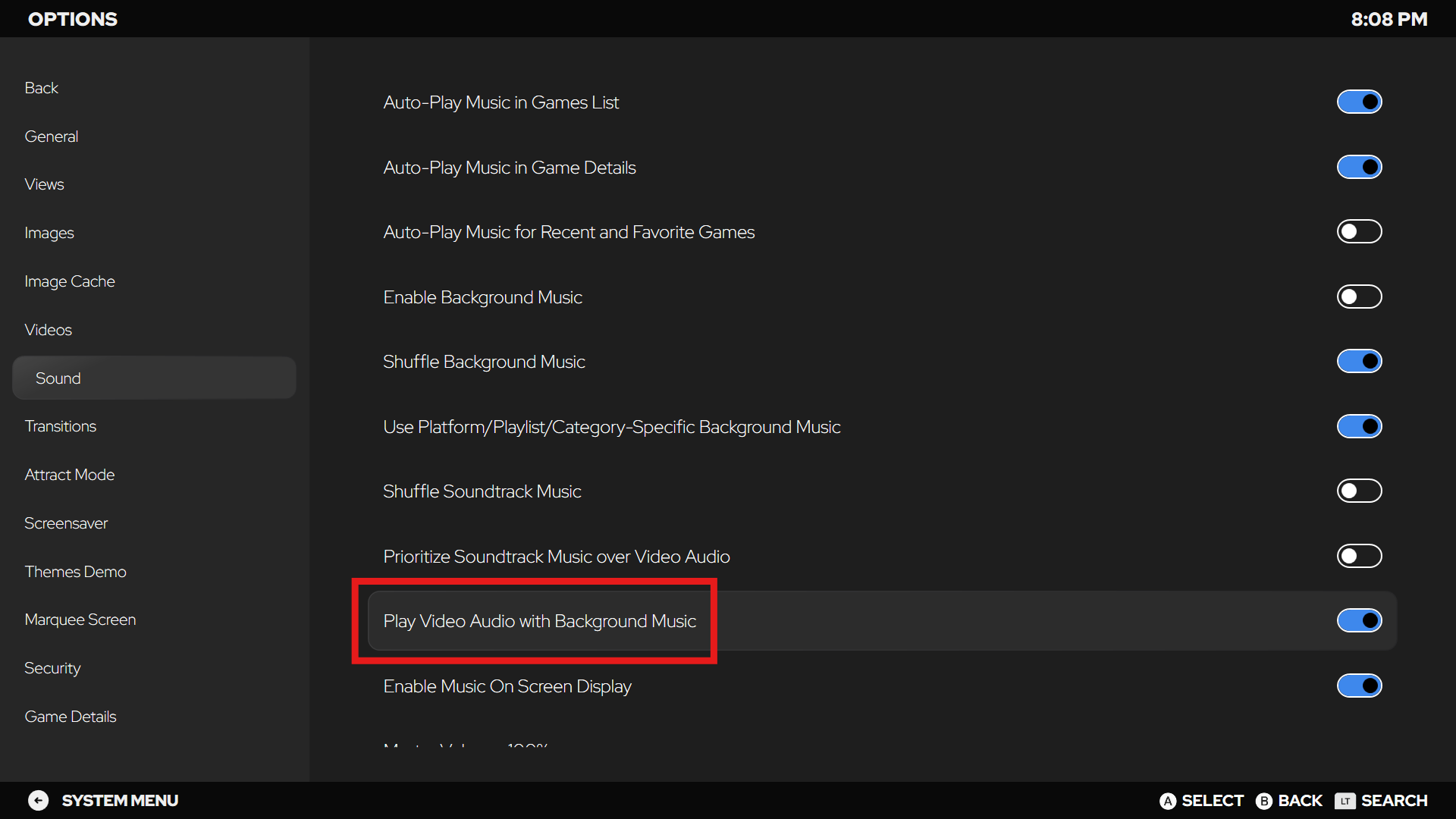
Plus, you now have a new option in Big Box to play video audio alongside background music for setups where you want both.


🎬 Video & Media Fixes

  • Platform videos now stop properly when the details pane is closed

  • Video playback restored in Platform Hybrid views

  • Video volume handling hardened to avoid crashes

  • Better media list memory handling = smoother long sessions

  • Backgrounds and thumbnails now behave more predictably

  • Cached images handle edge cases more reliably


🛠️ Other Notable Fixes

  • Fixed RetroAchievements scanning for compressed (7zip) games

  • Improved support for non-MAME arcade files like Hypseus Singe

  • Fixed a freeze that could happen during game imports

  • Sidebar show/hide issues resolved


If you want to help shape future releases, hop over to our feature request board, vote on ideas, request new features, and be part of the shaping force behind LaunchBox. 🙌

For the full list of changes, visit our complete changelog below.
🔗 LaunchBox for Windows Changelog

Earlier updates